200°Sending and replies
Sent with care, replies sorted.
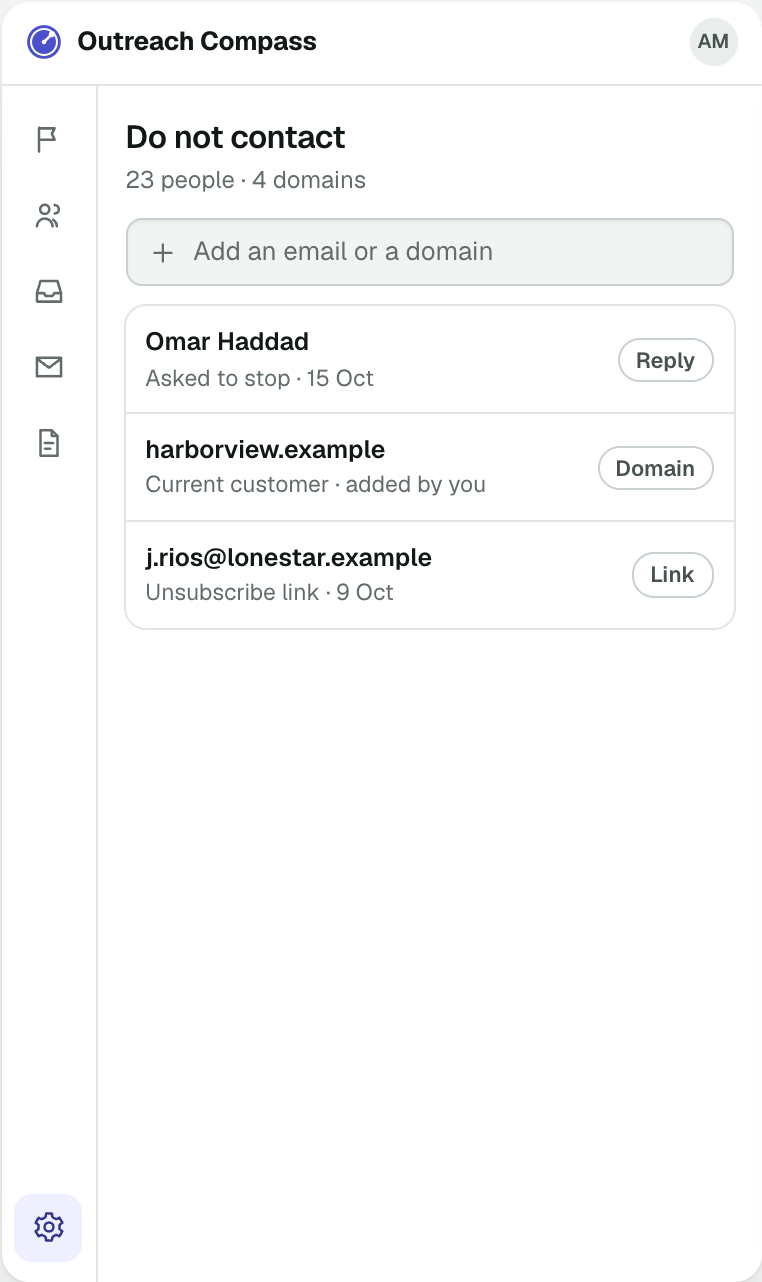
Email goes from your own inbox at a pace that keeps it out of spam. LinkedIn steps wait for your click. Replies come back sorted, and anyone who asks you to stop is never contacted again.
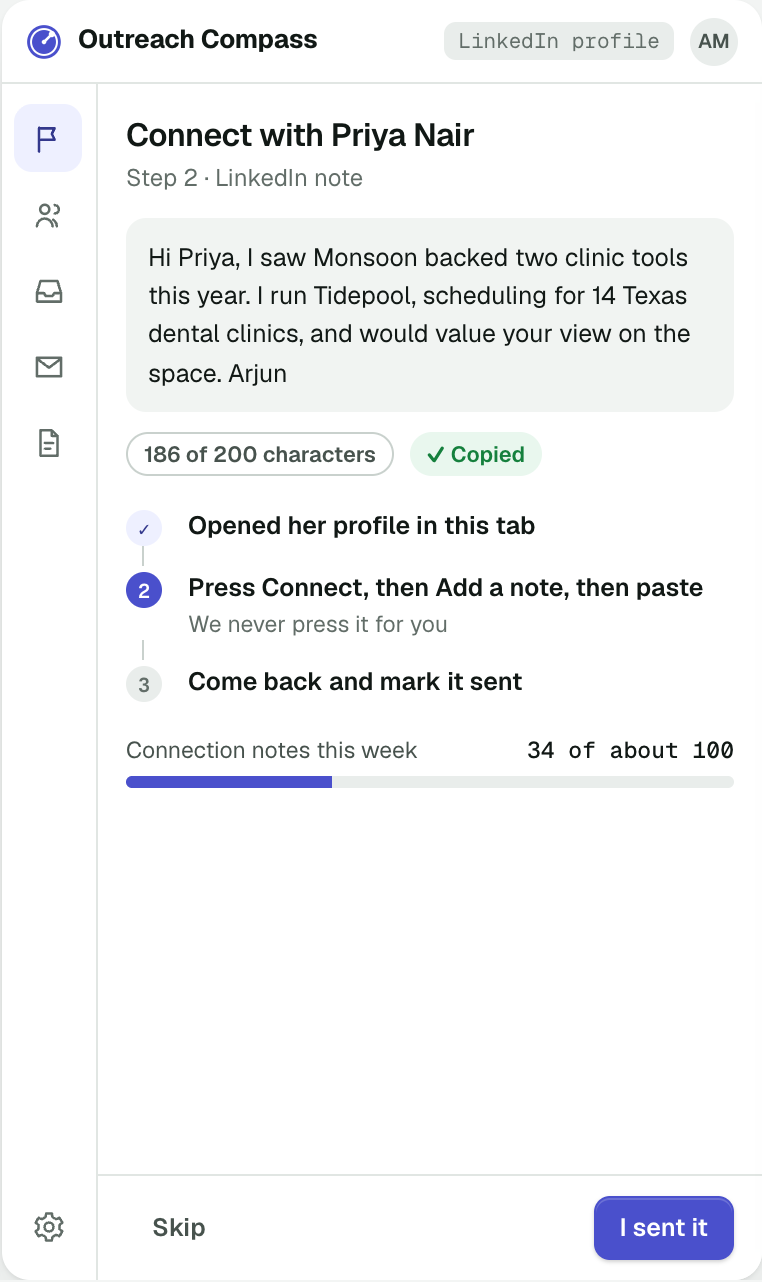
LinkedIn steps go out only by your click
Connection requests and messages are prepared for you and sent one at a time, by you. Nothing is sent to LinkedIn in bulk or on a timer.
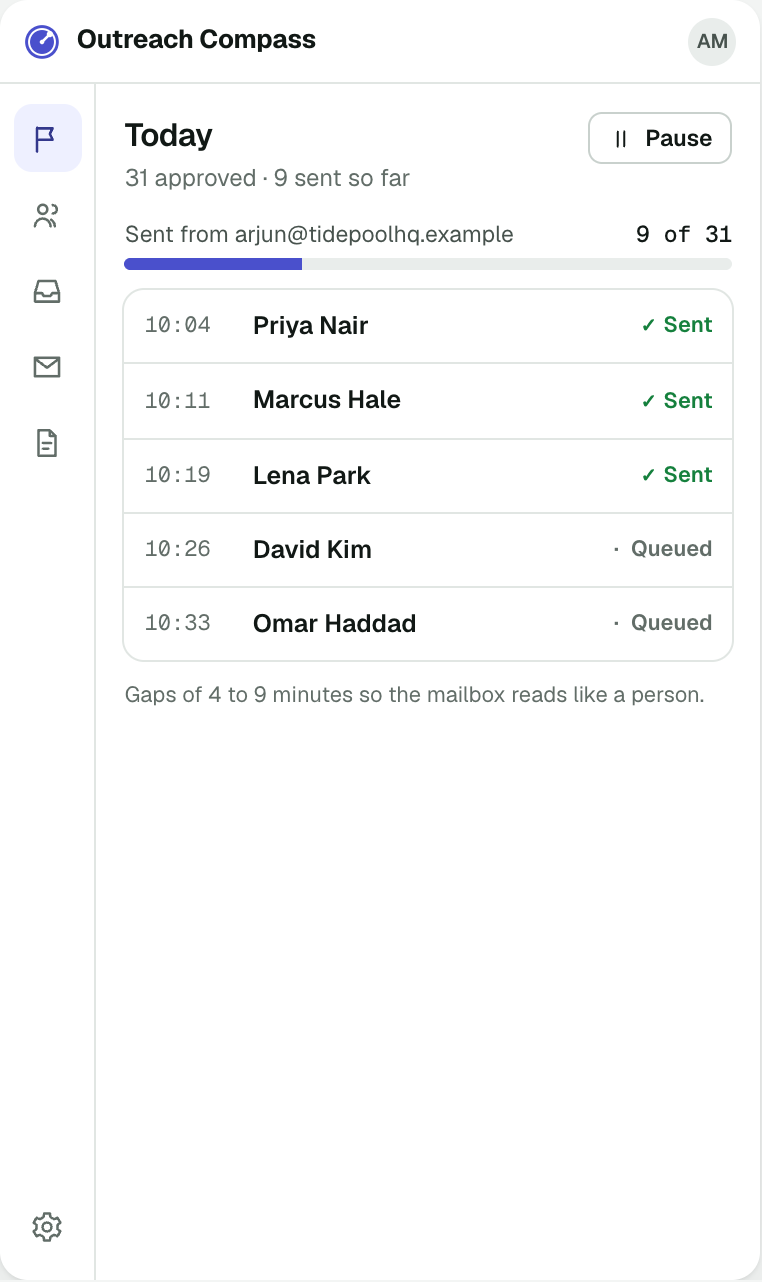
A daily pace that protects your mailbox
See what is going out today and when. The pace keeps your sending reputation healthy, so your messages keep landing.
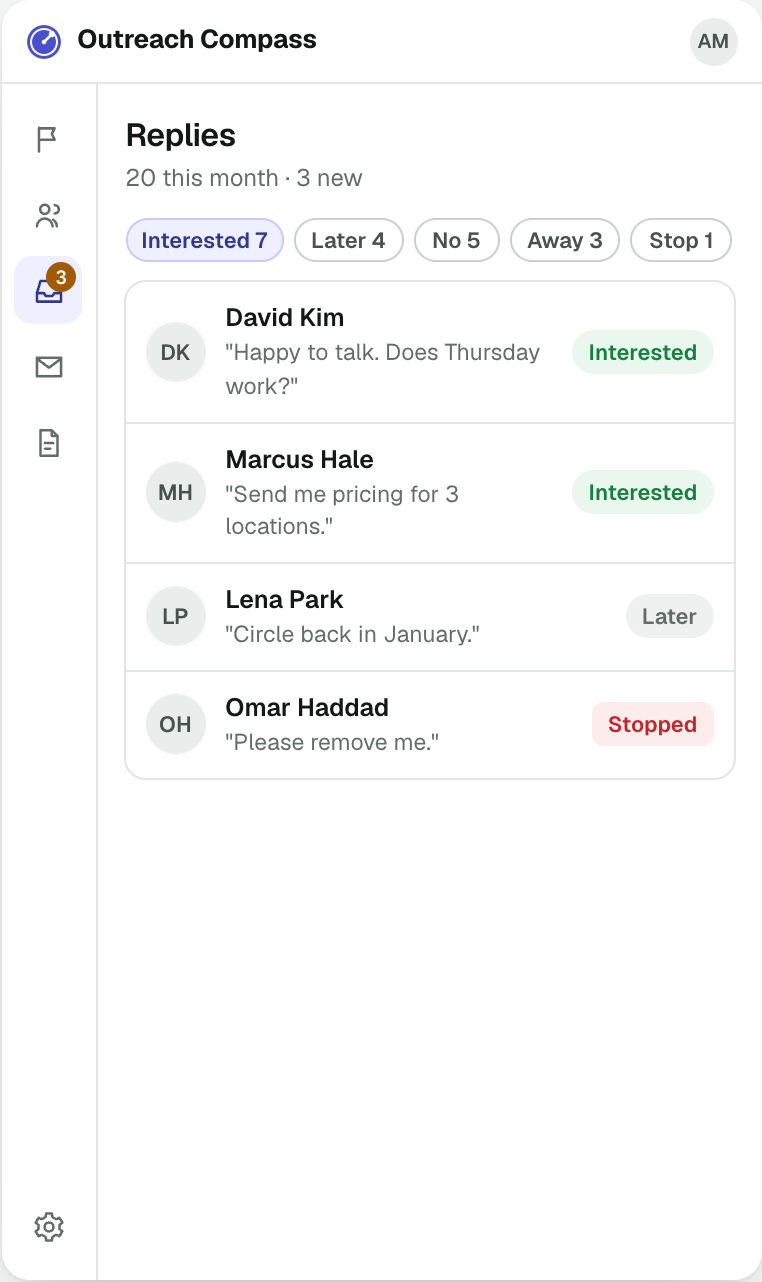
Know who to answer first
Replies come back into one inbox inside the panel, the people who want to talk at the top. A sequence stops the moment someone replies.
270°Also in the panel
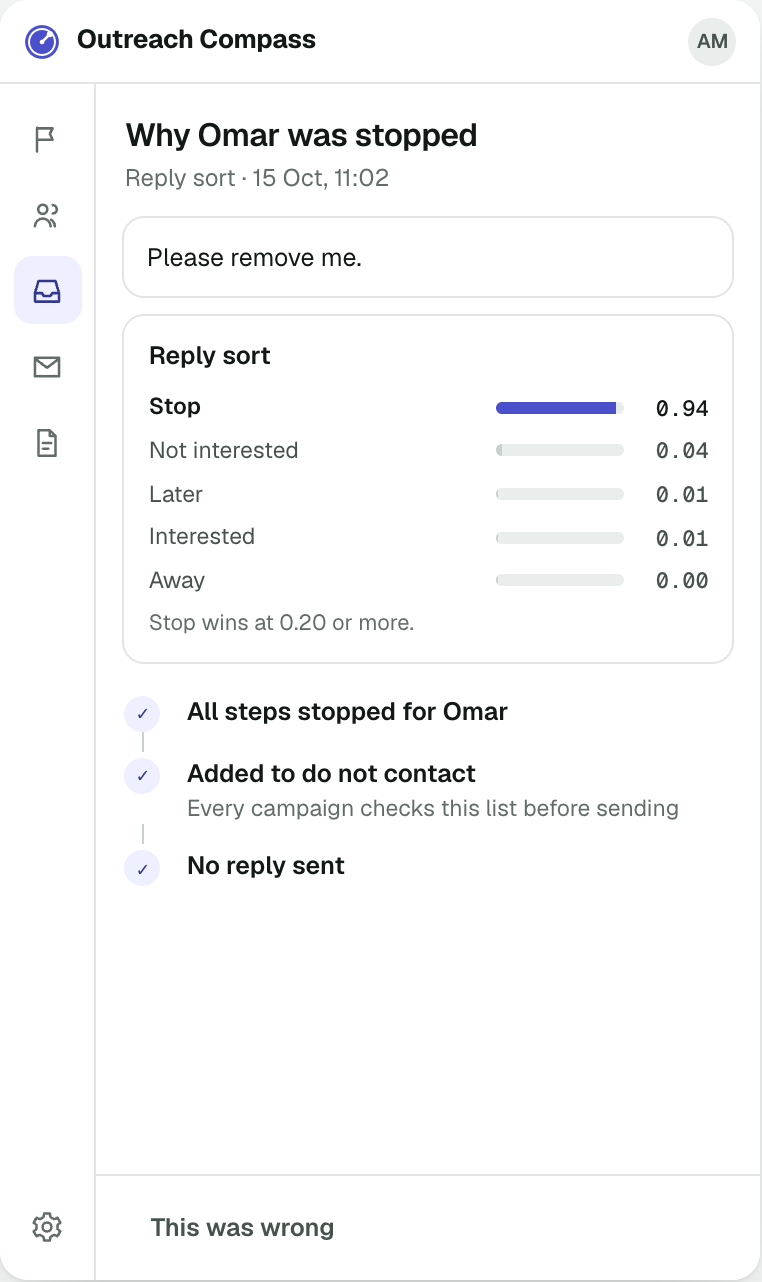
Why a sequence stopped, and who never hears from you again.
outreachcompass.insightron.ai

Reach people the right way.
Install Outreach Compass and send your first approved messages today.