
Reach the people who can say yes.
Outreach Compass finds the investors and buyers who fit what you are raising for or selling, checks their email, and drafts each message from what is true about them. You approve every message before it goes.
From $49 a month, or ₹2,499 in India.
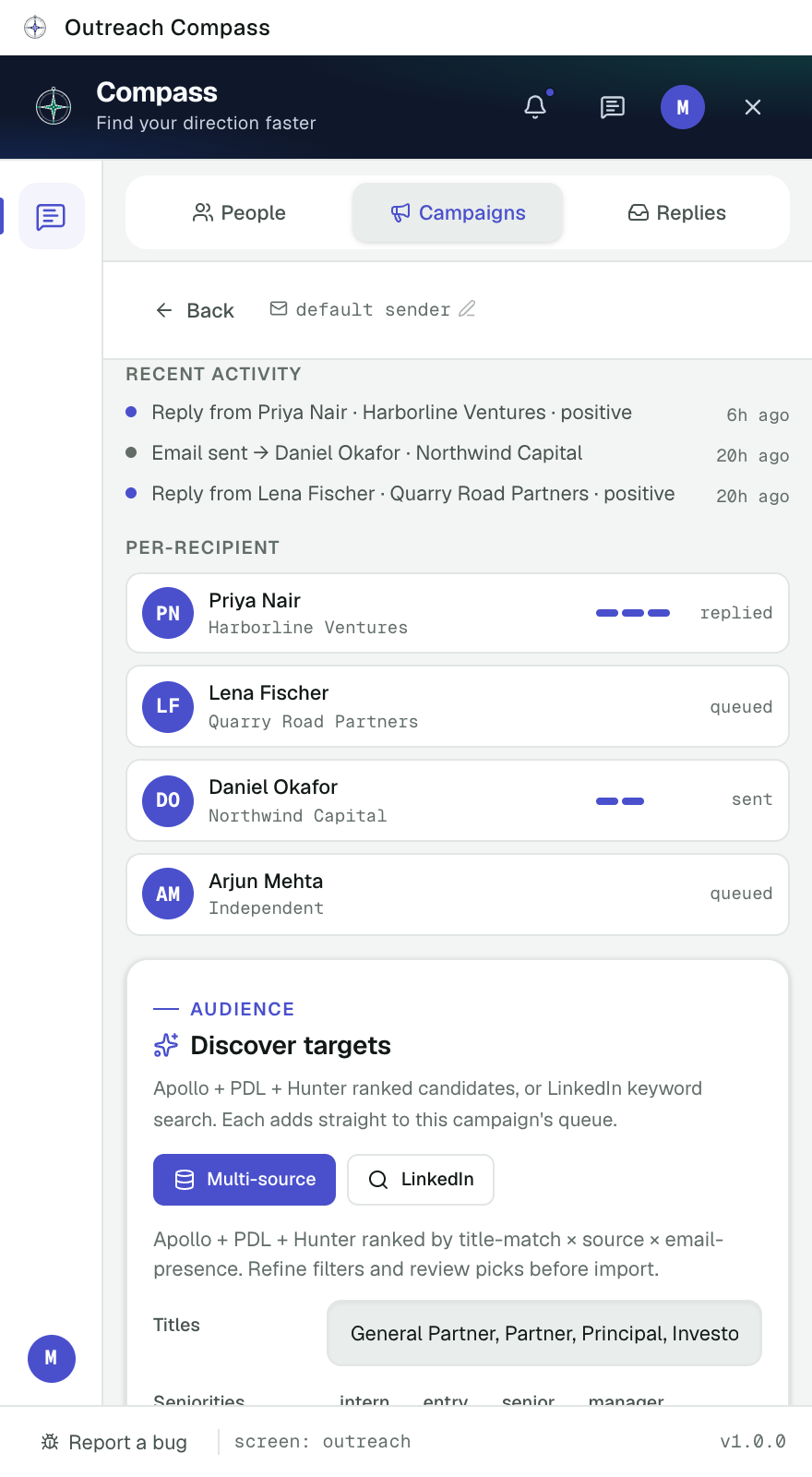
Three steps, and every message is yours.
- 1
Describe the round or the sale
Say what you are raising for or selling, and who decides. Outreach Compass turns it into a campaign.
- 2
Review who it found
It finds the people who match, checks every email address, and shows why each one fits.
- 3
Approve and send
Read each draft, change what you like, and send from your own inbox. LinkedIn steps go out only when you click.
Fewer, better messages to the right people.
Finds the right people
Investors, partners and buyers who match your campaign, from LinkedIn and business data sources, ranked by how well they fit.
Checks every email
Every address is verified before it is used, so fewer messages bounce and your sending reputation stays clean.
Writes from what is true
Drafts are built from the person's public profile and the material you attach, such as your deck or one pager.
Sends from your own inbox
Email goes out from your own Gmail or a dedicated inbox, never a shared address that lands in spam.
Replies, sorted
Replies and bounces come back into one view, with the people who want to talk at the top.
Stops when asked
Anyone who asks you to stop is never contacted again, from any campaign. Nothing is sent that you did not approve.
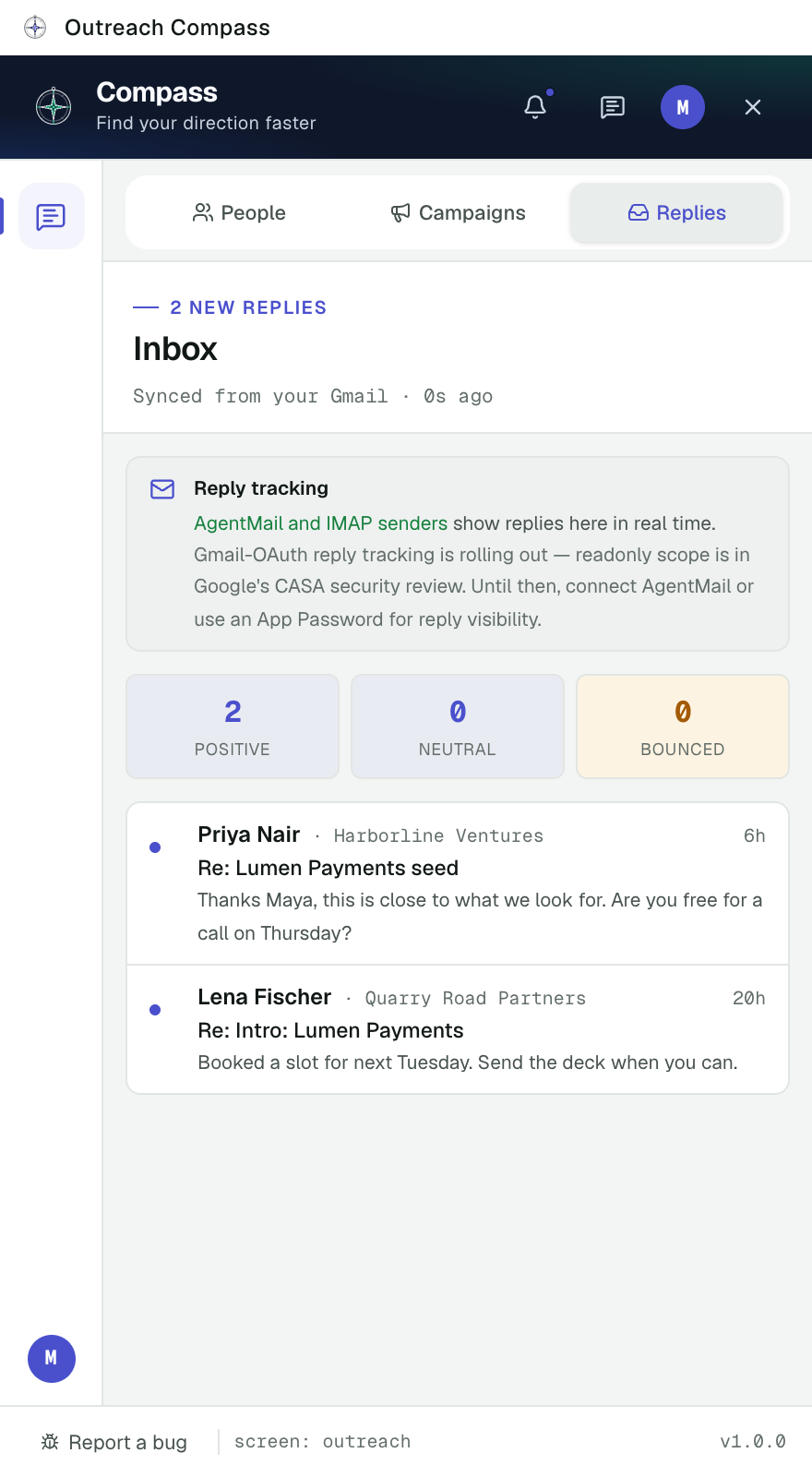
Know who to answer today.
Replies come back into one inbox inside the panel, sorted so the people who want to talk sit at the top. Bounces are counted, and a reply that asks you to stop takes that person off every campaign.
Two plans, month to month.
Outreach Compass Solo
$49 a month
₹2,499 a month in India
- 600 people found a month
- 300 emails found and checked a month
- 800 drafts a month
- Replies and follow-ups
Outreach Compass Pro
$99 a month
₹4,999 a month in India
- 2,000 people found a month
- 1,000 emails found and checked a month
- 2,500 drafts a month
- Replies and follow-ups
Plans in India carry lower monthly limits, shown in the extension before you pay. Usage resets each month, and you can see what is left at any time.
What people ask first.
Who is Outreach Compass for?
Founders raising a round, and anyone selling to businesses who needs to reach the few people who can say yes, without sending the same message to everyone.
Is it safe to use with my LinkedIn account?
It runs inside your own browser session and never sees your LinkedIn password. LinkedIn messages and connection requests are sent only by your own click, one at a time. Nothing is sent in bulk or on a timer.
Will people know I used a tool?
They receive a normal email from your own address. Each message is one you read and approved.
What happens when someone asks me to stop?
They go on your do not contact list straight away and are never contacted again, from this campaign or any other.
What does it do with my Gmail?
It asks only for permission to send email on your behalf when you click Send. It cannot read your inbox, search your messages or delete anything. The full detail is in the privacy policy.
Do I need Job Compass as well?
No. They are separate extensions for separate jobs. If you use both, one sign in works for both.
How do I cancel?
Plans are month to month through Razorpay. Cancel any time from the extension's billing screen; you keep your plan until the end of the period you paid for.
Start with the people who can say yes.
Install it, describe your round or your sale, and review who it finds.